
Installation
Install the RealityPlan Hub to manage and run your projects effortlessly—just download, run the installer, and follow the steps. Ensure your computer meets the minimum requirements for the best experience.
Install the RealityPlan Hub
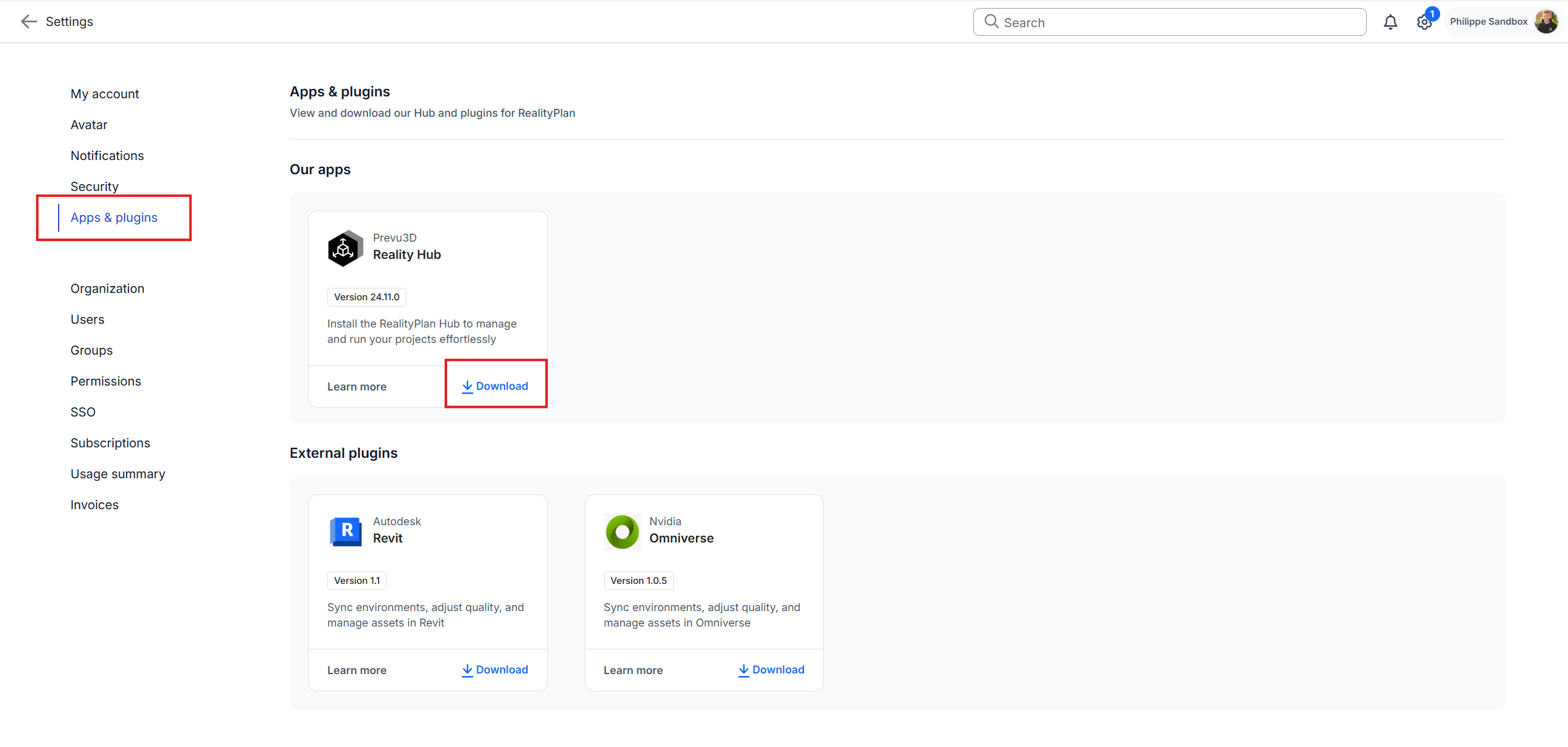
Section titled “Install the RealityPlan Hub”The RealityPlan Hub is a standalone application that allows you to run and manage your projects. To download the installer go to the App & Plugins menu from your user profile and click on download, after this run the installer and follow the steps it provides.
Computer requirements and compatibility
Section titled “Computer requirements and compatibility”Your 3D data is heavily optimized by Prevu3D. Therefore, visualizing your environment doesn’t require a powerful PC:
| Specifications | Minimal | Recommended | Ultra |
|---|---|---|---|
| CPU | i5 (2017+, high frequency) | i7 (2019+, high frequency) | i7 (2021+, high frequency) |
| GPU | GTX 970 | RTX 2060 | RTX 2080 |
| RAM | 16 Gb | 32 Gb | 32 Gb |