Annotation
RealityPlan provides multiple tools to document your space and get relevant information at the right spot and at the right time.
Place annotations
Section titled “Place annotations”The annotation tool allows you to contextually document your space by placing annotations at specific spots in your 3D environment. These annotations can contain text, links, documents and much more !
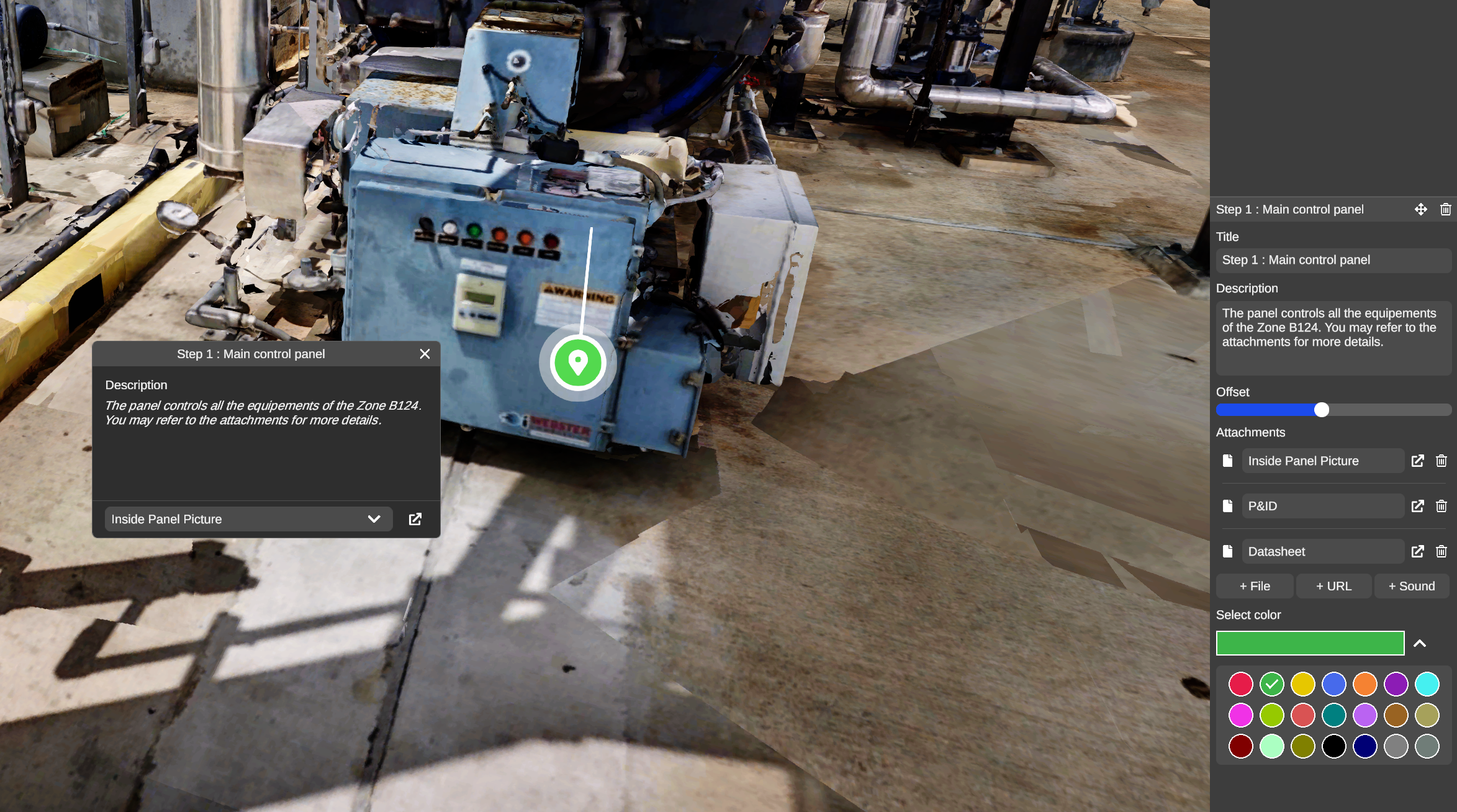
To place an annotation, your must :
-
Open the annotation tool from the toolbar
-
Click on the point of the environment where you want to place the annotation
-
The object panel will show up for you to fill it up with the relevant information and add attachments if required.
You can also resize the distance between the annotation and its closest surface by simply moving the slider of the “Offset” parameter as you can see on the screenshot above. Color can also be customized to categorize your annotations !
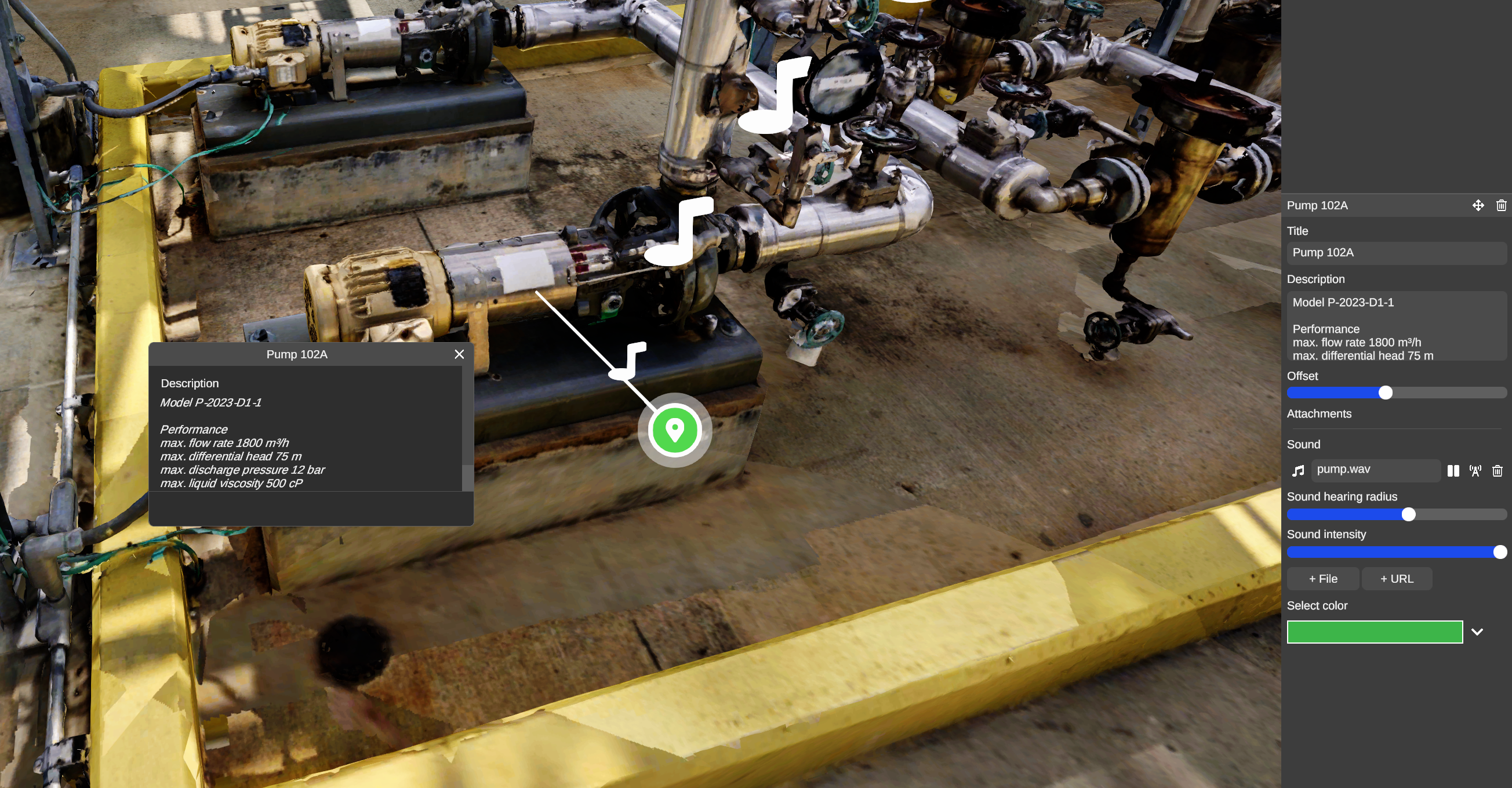
A sound or music may also be added to an annotation to make your environment more immersive.