How to Use the Plugin
Enable the connection between Prevu3D and Microstation
Section titled “Enable the connection between Prevu3D and Microstation”From the top bar, go to RealityConnect -> Server Settings and Start the connection.
To disconnect, you can repeat the action
RealityConnect Functions
Section titled “RealityConnect Functions”Sync scan
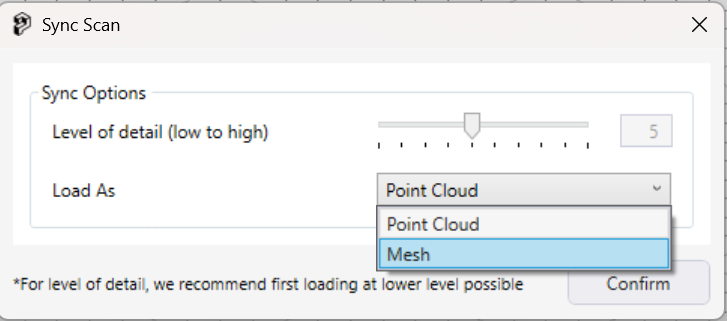
Section titled “Sync scan”This function allows you to bring the full environment into Revit either as a point cloud or a mesh. This will import the environment with the lowest quality level and place it using the shared coordinates. From there you will be able to leverage the Clip scan feature.
RealityAssets
Section titled “RealityAssets”Load Assets
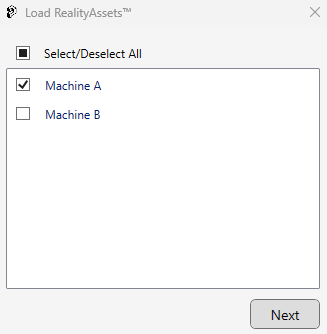
Section titled “Load Assets”This function allows you to bring RealityAsset defined from RealityPlan to your Revit project.
Browse and pick the desired RealityAsset.
Settings
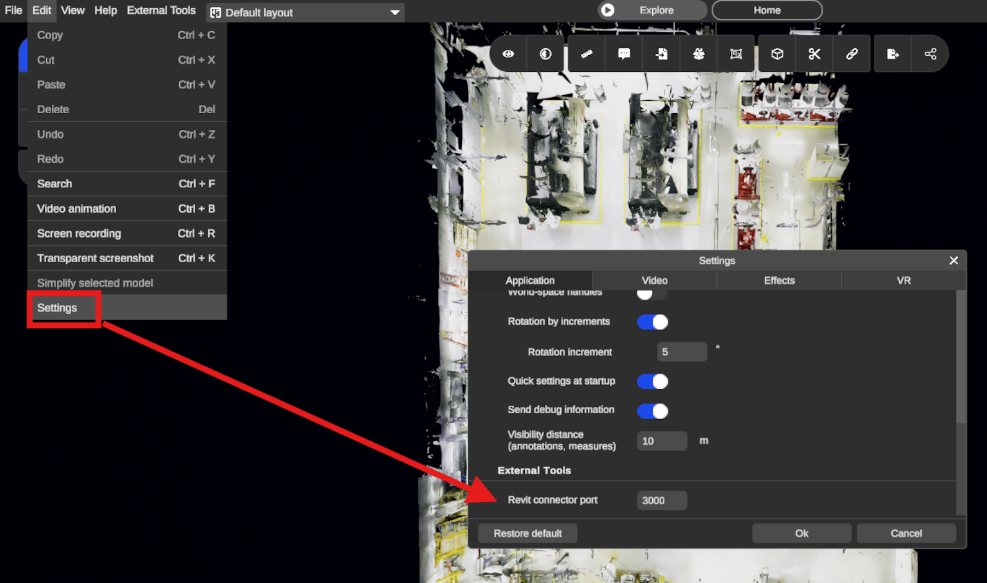
Section titled “Settings”This function allows you to change the port of the server that connects RealityPlan to RealityConnect.
RealityConnect Settings
Section titled “RealityConnect Settings”Settings
Section titled “Settings”Allow you to change the application port number. We recommend keeping the default value (3000). Otherwise you would need to change the value on RealityPlan as well. See the screenshot below: