
Avatar
Avatars bring your 3D environment to life, allowing you to represent yourself while exploring and collaborating in immersive environments across RealityTwin and RealityPlan.
Your avatar is associated with your user profile and can be used across supported Prevu3D products.
Creating avatars
Section titled “Creating avatars”To create an avatar go to Settings > Avatar
From there, you can:
1. Select a Predefined Avatar
Section titled “1. Select a Predefined Avatar”Choose from a curated list of ready-to-use avatars available in the system.
2. Import a Custom Avatar (GLB)
Section titled “2. Import a Custom Avatar (GLB)”Upload your own custom avatar in GLB format.
Custom avatars must comply with our technical requirements, including:
-
Proper rigging
-
Armature structure
-
Supported skeleton hierarchy
-
Compatible mesh and material setup
3. Add Custom Branding
Section titled “3. Add Custom Branding”You can personalize your avatar by adding:
-
A logo on the front
-
A logo on the back
This allows teams to represent company branding inside collaborative 3D environments.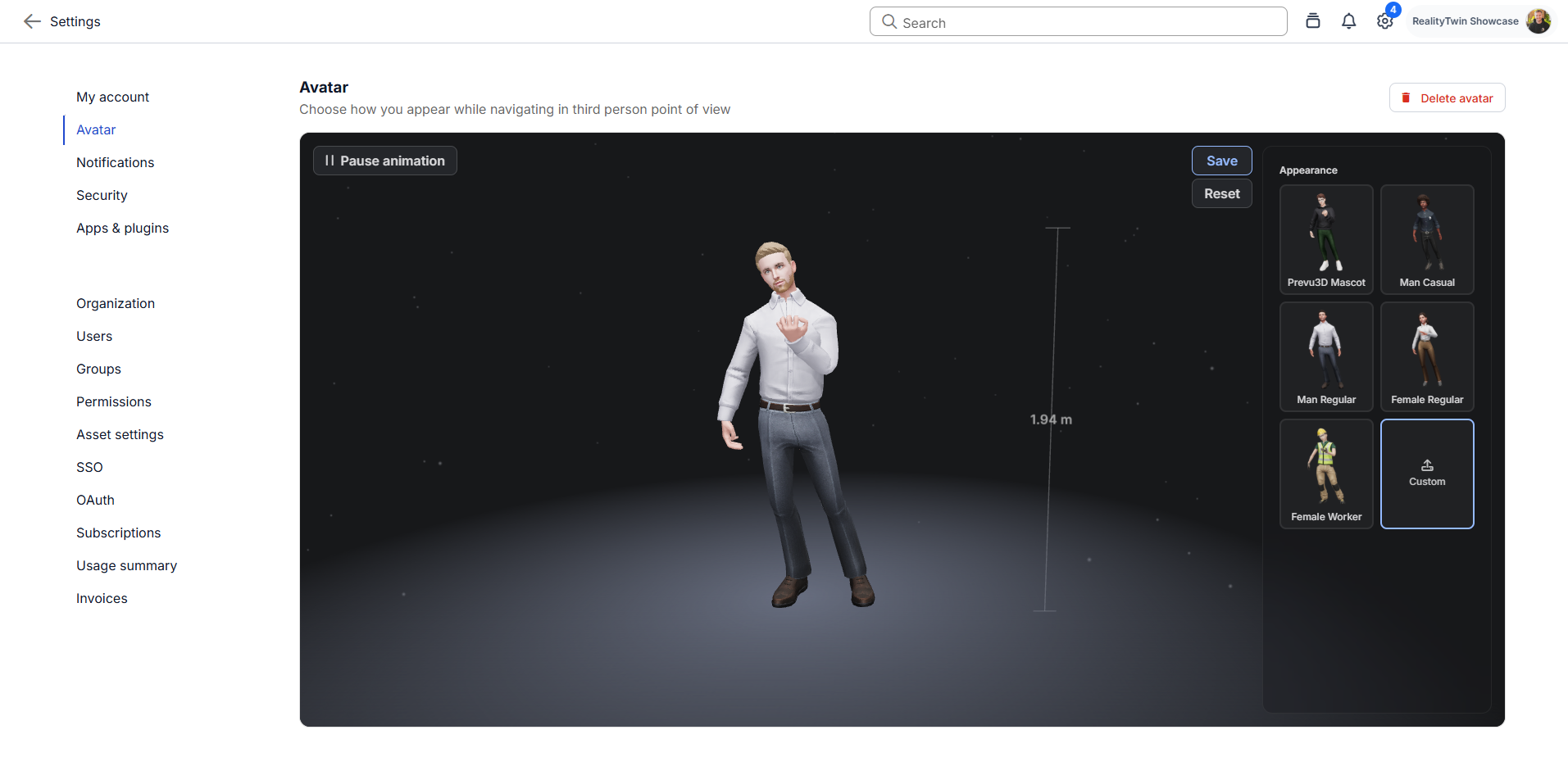
Avatar Behavior by Platform
Section titled “Avatar Behavior by Platform”Web (RealityTwin & RealityPlan Web)
Section titled “Web (RealityTwin & RealityPlan Web)”Once configured, your avatar will automatically appear in supported environments.
RealityPlan Desktop
Section titled “RealityPlan Desktop”RealityPlan Desktop includes its own predefined avatar set.
If you want to use your selected web avatar in the Desktop application, additional configuration steps are required.
Please refer to the dedicated article: Using Your Web Avatar in RealityPlan Desktop
Navigation and Third-Person Mode
Section titled “Navigation and Third-Person Mode”Navigation and Third-Person mode behavior are covered in a separate article.
Refer to: